When a spoken question beats a tap menu
People abandon a touchscreen directory when the button does not match the question in their head. A voice kiosk lets them ask the way they would ask a person. The menu is still the right tool when the room is loud, the question is private, or nobody can use the microphone.
The old way, and the voice way
Touchscreen directory. The venue builds the path. The visitor finds a category and opens a result. That works for shops, gates, departments, and restrooms when the label is obvious. It fails when the question shares no words with a button. "Where do I collect an international bag?" may never be a label on the glass.
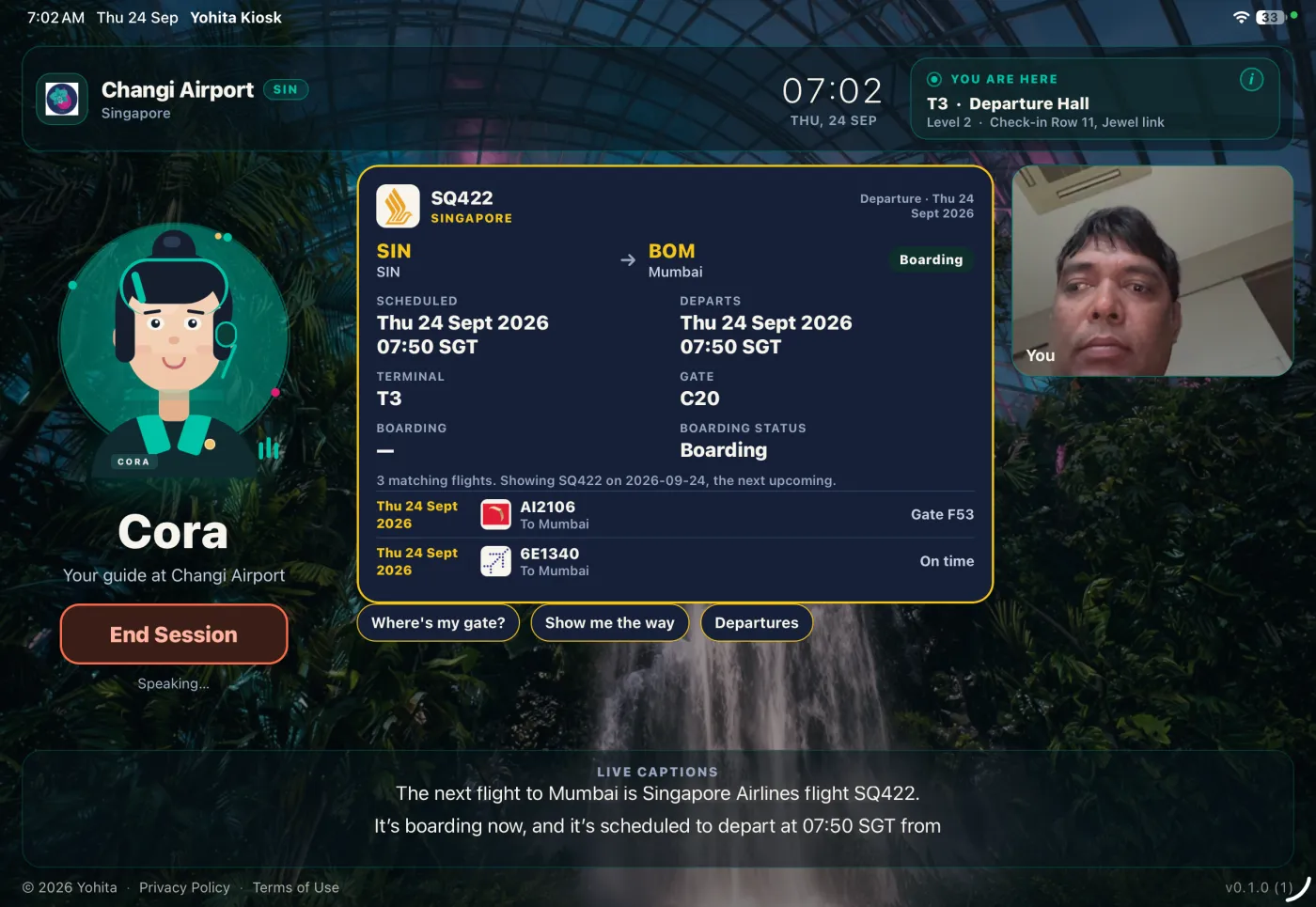
Voice kiosk. The visitor says the question. SmartKiosk, from Yohita Technologies, shows a flight, an indoor map, a directory entry, or a wait time. A spoken list of shops is a poor substitute for a list they can see, so the answer stays on the screen.
Side by side
| Touchscreen directory | Voice kiosk (SmartKiosk) | |
|---|---|---|
| How the visitor starts | Taps a category the venue placed on the menu | Says the question in their own words |
| What they need to know first | Which label the venue chose | How they would ask a person |
| What stays on the screen | The menu, then a listing | A live result: flight, map, directory, or wait time |
| Languages | The languages loaded into the menus | 50+ languages of speech, with no picker first |
| Live flights and maps | Only when a feed is connected | 23 prebuilt airport demos with live flights and indoor maps |
| Loud rooms | Touch still works in noise | Speech has to be heard. Try the real hall. |
| Who hears the question | People who can see the screen | People nearby, because it is spoken |
| A visitor who will not speak | Can use the menu | Needs another way in, and a readable answer |
| When the answer is not enough | A staffed desk, if you run one | Talk to a Human, on sites that enable it |
When the touchscreen directory is the better fit
Keep the menu when visitors are browsing what is on this floor, when the hall is so loud that people already shout, or when the microphone cannot hear them. A clinic, a prayer room, or a personal errand is also a menu visit. Strangers can overhear speech, and people beside the kiosk may still read the screen.
The menu has upkeep. Someone writes the labels, translates them, and updates a shop when it moves. A menu in one language fails a visitor who cannot read it. Voice covers 50+ languages without that picker, and the screen is still how they confirm a name.
Where voice struggles
Noise, privacy, and short names limit speaking in a public room. Hard surfaces and other conversations sit between the visitor and the mic, so try the real mount at a busy hour before you trust a quiet office. Anyone in earshot learns the question. Shop names, gate codes, and local accents are easy to miss.
A working microphone and a path to the speech service are required. Offline behavior is not documented. If a touch directory you already run survives a network fault, confirm that before you drop it. Talk to a Human, where a site enables it, puts an operator on the same screen. It does not staff every building.
A visitor who cannot speak still needs a route to the same answer. Put that answer where it can be read.
Where to go next
Airport questions, flights, and gates are on the airport page. Buildings, rooms, and events are on the campus page. A named lobby product is compared on the Kuyil page. The lock around the tablet is the iPad and Android setup guide. Pricing is the rate card for the voice app.
Malls, hotels, expos, real estate, and general business are setups in the app. A food court is one of the loud cases above. Idle video and promo cards do not decide between a menu and a spoken question.
Questions & answers.
No. A touchscreen directory is a menu the venue designed. The visitor has to find the right category. A voice kiosk starts from the spoken question and puts the result on the tablet: a flight, a map, a directory entry, or a wait time. One is a hunt. The other is a question.
Because a spoken answer disappears. A shop list, a floor plan, or a changed gate is easier to read than to remember. The tablet keeps the result up so the visitor can scan it, point at it, and check it again before they walk off.
Touch does not need a quiet room. Speech does. A food court or a hall under a flight board is full of other voices. There is no SmartKiosk accuracy score from a public hall to quote. If people already raise their voices to hear each other, keep the menu available in that spot.
Then voice is the wrong way in. The same map or listing has to be reachable without speaking, and large enough to read. A gate, a clinic, or a shop name said aloud is easy for strangers to hear. Touch keeps those words on the glass. People beside the kiosk may still read the screen.
No. Checking a passenger in and running departure control are a different machine from a directory. A directory answers gates, maps, and amenities. The airport page spells that split out. A voice kiosk is for the question, not for the trip itself.
Yes, if the tablet should stay on one app. SmartKiosk is the conversation. Guided Access, Single App Mode, and Android lock task are the shell. The setup guide walks through them. Pairing, content, floor plans, and fleet heartbeat live in the admin console, not in the lock.