FAQ
Questions teams ask before a rollout
Answers for teams choosing an AI kiosk. Something else on your mind? Get in touch ([email protected]).
Product
What is SmartKiosk?
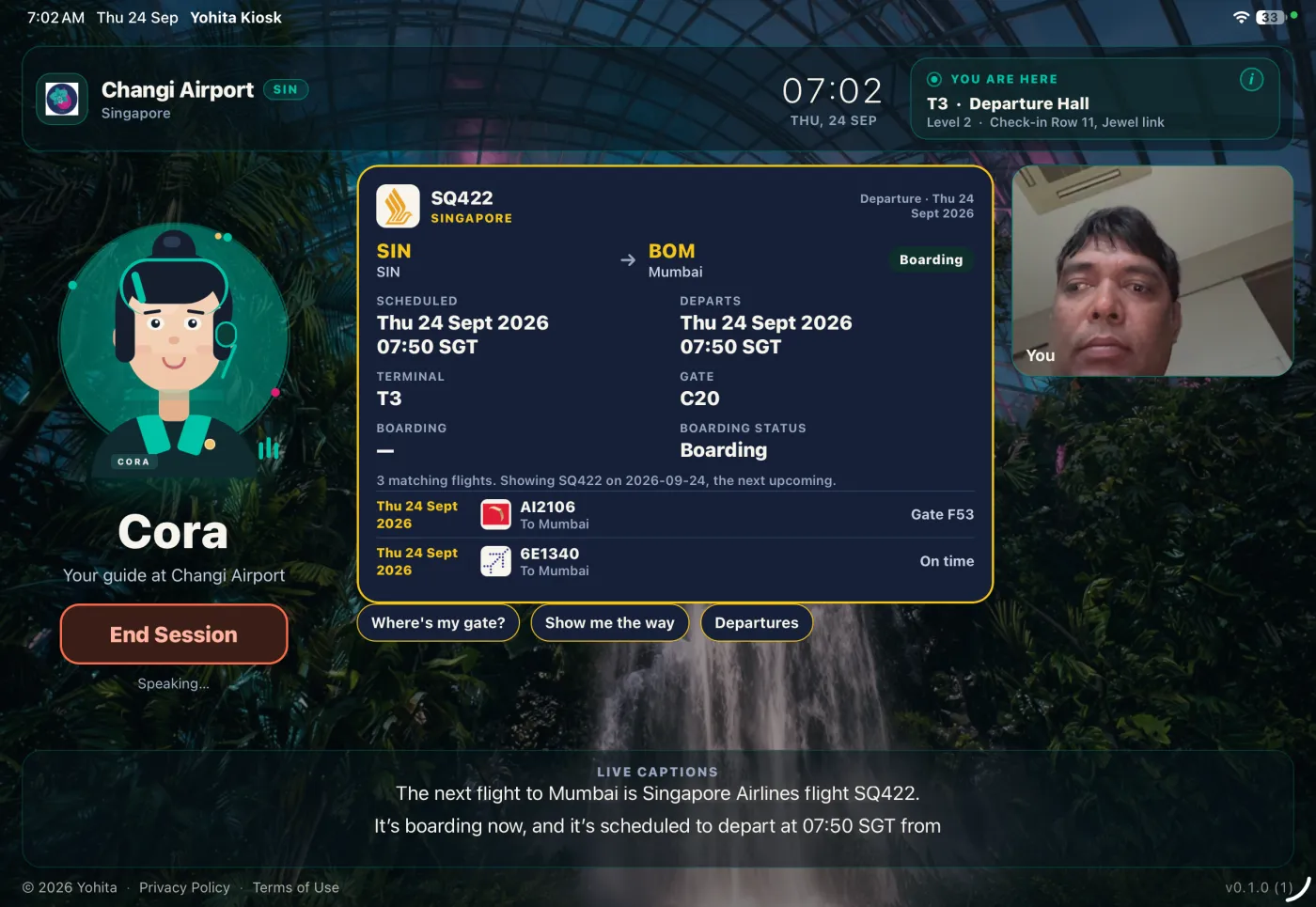
SmartKiosk is voice kiosk software for tablets and smart displays a venue already owns. A visitor asks in their own language. The screen shows a flight, an indoor map, a directory entry, or a wait time.
How is it different from a chatbot or a touchscreen directory?
A chatbot waits for someone willing to type. A touchscreen directory waits for the right menu. SmartKiosk starts from the spoken question and puts the result on the glass in the same moment: flights, maps, wait times, and directions.
Which languages does it speak?
SmartKiosk speaks 50+ languages, in and out, with no language menu to start. Speech runs on OpenAI Realtime. Each site turns on the languages its visitors use. Public demos today are English, Hindi, and Marathi.
Do visitors need an app or an account?
No. They walk up to the kiosk and speak. There is nothing for a passenger or guest to download, and no account to create. The Play Store and TestFlight builds are for your team, so you can try a demo on a tablet you already have.
Where can SmartKiosk be used?
Airports, corporate campuses, colleges, malls, hotels, expos, real estate, and general business — anywhere people stop and ask a question. Airports are the vertical with live flight data already connected. Other sites answer from the directory, maps, FAQ, and notices you load in admin.
Does SmartKiosk replace our staff?
It takes the repetitive questions — gates, directions, hours, languages — so the desk can stay with the conversations that need a person. When the venue turns it on, Talk to a Human puts a live operator on the same screen for emergencies, complex cases, or when the visitor asks for staff.
Can I try it before a rollout?
Yes. Install from Google Play or join the iOS TestFlight test, then open any of the airport demos — live flights, indoor maps, fully working. Campuses, malls, hotels, and more are in the app too. For a scoped pilot or a hardware partnership, request a demo.
Setup
How quickly can we deploy an airport kiosk?
Airport data is already connected. Pair a tablet, pick an airport the feed covers, and a working airport kiosk is ready in a few minutes, with live flights and gates. Smaller airports that are thin in that feed, and local shops, services, and notices, still need a manual update in admin.
What hardware do we need?
An iPad, Android tablet, or smart display with a working microphone, plus a network connection. A USB or far-field mic helps in a loud hall. Use the mounts and enclosures you already sell or install. Live answers, pairing, content refresh, and fleet status all run over the network.
We already sell kiosk hardware. Can we partner?
Yes. SmartKiosk is the software layer for OEMs, AV integrators, and enclosure makers. Bundle it on the panels you already ship, and keep the hardware business.
Privacy and commercial
Is SmartKiosk privacy-focused?
Yes. Live audio is processed for the length of the session and is not kept afterward. What the venue keeps is a transcript, an optional compressed still, token usage, and any feedback rating — never labeled with a visitor’s name. Devices never hold long-lived provider keys. See our Privacy Policy for the full picture.
How much does SmartKiosk cost?
Plans are priced per kiosk per month: Free Sandbox, Platform, Managed, and Enterprise. Live flight data is included on Enterprise and an add-on on the other plans. The rate card is on pricing.
Is SmartKiosk open source?
Yes. GitHub repo access is available on request for evaluation — contact us. Source code will be public once the security assessment is done. Follow the org at github.com/yohita.