Features
Indoor maps and a multilingual voice assistant
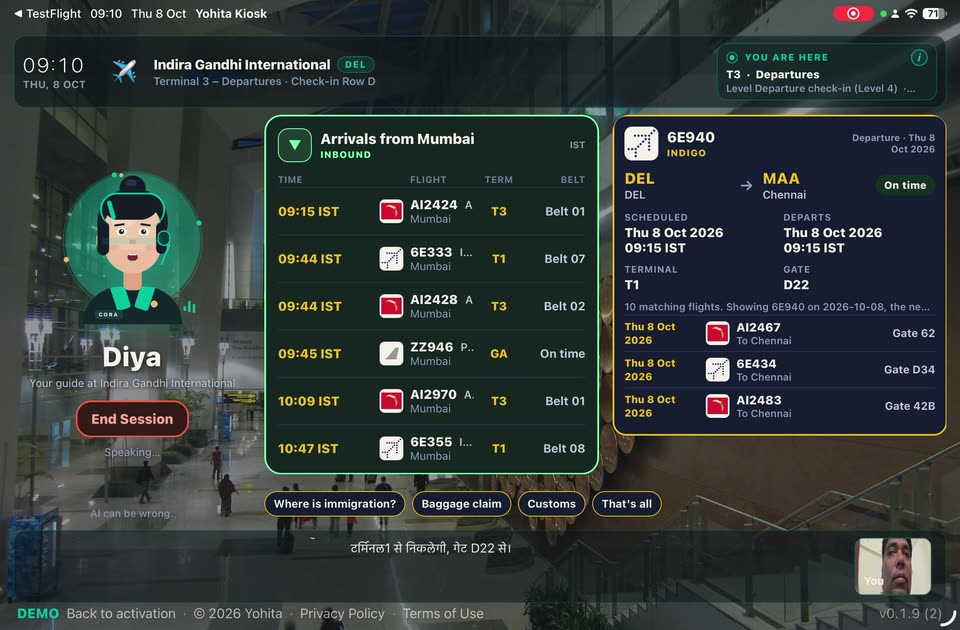
Digital wayfinding software for the lobby. Visitors ask in their own language, and a multilingual voice assistant shows a flight, an indoor map, a directory entry, or a wait time. The software runs on tablets and smart displays the venue already owns.
Wayfinding and multilingual voice
Voice + screen
Add-onVisitors ask the way they would ask a person. The reply and the visual answer arrive together: a flight, a map, a directory entry, or a wait time, on a tablet the venue already owns.
Live flights
Add-onAirport data is already connected. Pair a tablet, pick an airport the feed covers, and a working airport kiosk is ready in a few minutes, with live flights and gates. Full admin control lets your team add local shops, services, and notices for a complete terminal experience.
Indoor maps
Add-onAsk where to go and see the place on an indoor map. This indoor navigation software uses Mapbox indoor coverage, or a floor plan you upload. A mall directory kiosk and a mall map kiosk use that same map.
Venue maps
Add-onUpload a floor plan, or use Mapbox indoor where coverage exists. Directions start from the lobby where that kiosk stands.
Multilingual by default
Add-onSpeech in and speech out cover 50+ languages on OpenAI Realtime, with no language menu in the way. The multilingual voice kiosk turns on the languages your floor actually needs. Public demos today are in English, Hindi, and Marathi.
Live concierge escalation
Add-onWhen a site turns it on, a live operator joins the same screen for an emergency, a complex case, or a visitor who asks for staff. Operators are scoped to their own organisation and cannot see another client's kiosks. A powerful safety net that keeps every interaction human-centred.
Idle screen
Idle creatives
Add-onWhen the kiosk is waiting, it can run a video, a promotion, or your backdrop. Waiting does not spend voice minutes.
Video ads
Add-onPlay a full-bleed video between visits, for an airport campaign or a tenant offer, on the same glass that answers questions.
Promo cards
Add-onRotate offers and featured tenants. Swap the stack from admin, and the next heartbeat puts it on the glass.
Branded backdrops
Add-onHold the venue's own look while the kiosk waits. The moment someone speaks, it wakes into a voice session.
Wi-Fi QR & notices
Add-onGuest Wi-Fi, FAQs, and notices are edited in admin. The next heartbeat carries them to the tablet.
Session rating
Add-onOne tap of feedback at the end of a visit, then the glass resets for the next person. A rating is never stored with a visitor's name.
Lead capture
Add-onThe admin panel can collect a lead during the visit, alongside device pairing, content, and idle-screen ads.
Fleet and setup
Simple pairing
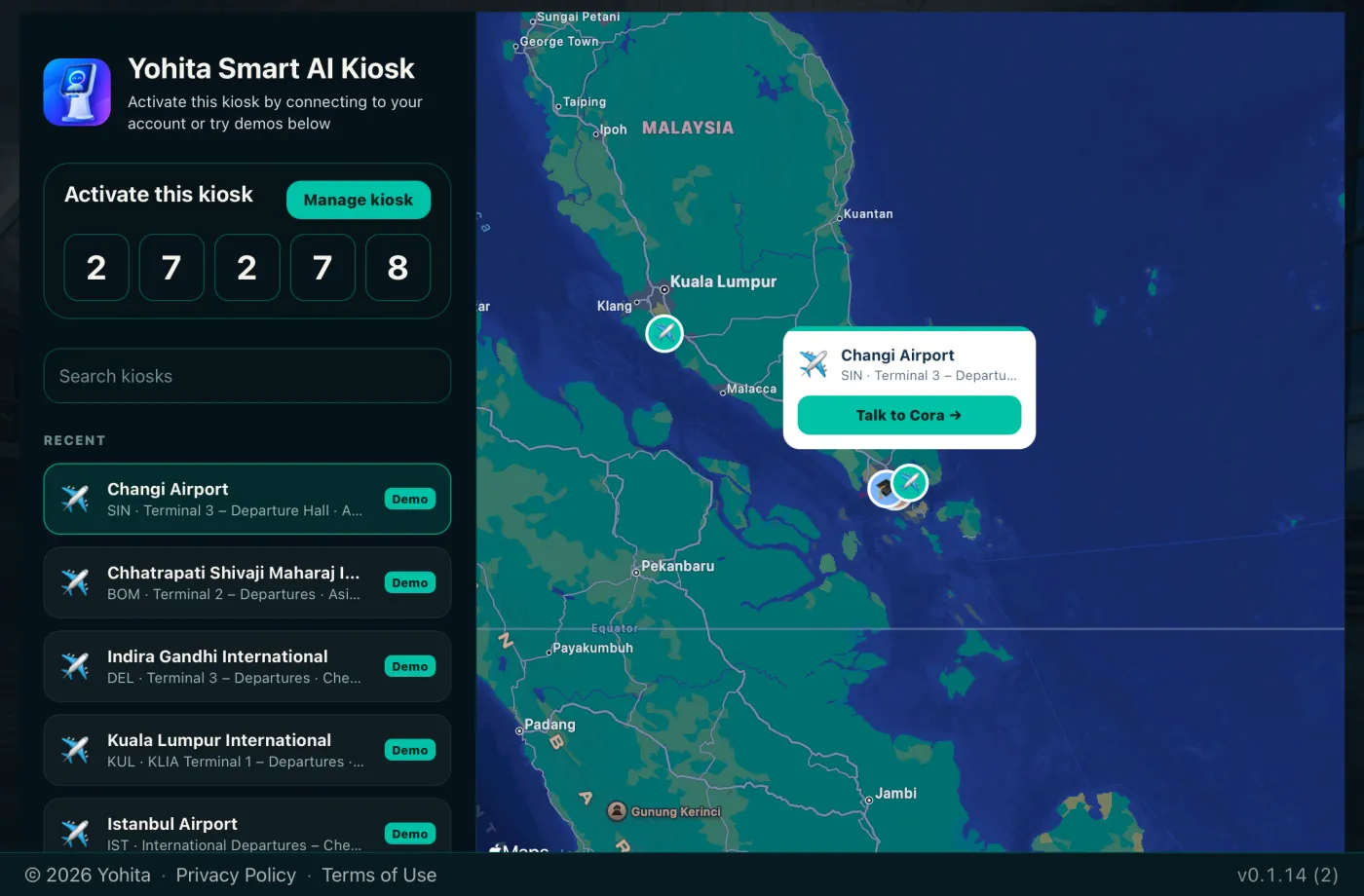
Add-onA short code appears on the glass. Claim the device in admin, assign a config, and the kiosk goes live.
Far-field friendly
Add-onThe tablet's own microphone is enough to start. A USB or far-field mic helps when the hall is loud. The device still needs a network connection.
Android & iOS ready
Add-onRun SmartKiosk on Android tablets, iPads, or industrial SoC panels. Android is available on Google Play. iOS is enterprise-provisionable via TestFlight and managed distribution. Pairing a new device takes minutes, with fleet management and content sync from a single console.
White-label ready
Add-onReplace the SmartKiosk badge with the venue's persona name, logo, and domain. Idle ads and creatives also pull from admin, so every screen looks native to the brand without a rebuild.
Fleet heartbeat
Add-onSee which screens are online, which app version they run, and which microphone is active, from one console.
One console for the fleet
Add-onEdit content, floor plans, FAQ, Wi-Fi QR, notices, and idle creatives without ending a live session. Unpair, rotate, and refresh every screen from that same console.
Security
Short-lived by design
Add-onSession tokens are minted on the server and then expired. The glass does not keep a standing secret. Live audio is used for the length of the visit and is not kept afterward.
Keys stay off the device
Add-onProvider keys stay encrypted in admin. The kiosk never holds them. The admin panel shows whether a key is healthy.
Tenant isolation
Add-onAn operator sees only their own organization's kiosks. Another client's screens and content stay in that other tenant.
Keeping the screen on SmartKiosk
The kiosk stands in the hall. Keeping that tablet on SmartKiosk is a step in the operating system: Guided Access, Single App Mode, or Android lock task. No named lockdown product is certified with SmartKiosk. The setup guide walks through those steps.