An airport AI assistant for flights, gates, and the walk
An airport information kiosk for passengers who would rather ask. SmartKiosk is an airport AI assistant: they speak, and the tablet shows the flight, the gate, and the walk. Airport wayfinding stays on the screen. It runs in 50+ languages, on the iPads, Android tablets, and smart screens the airport already has. The install is software on those screens. It is not an airport chatbot tucked into a website, and it is not the airline check-in machine.
Why an airport information kiosk beats a touch menu
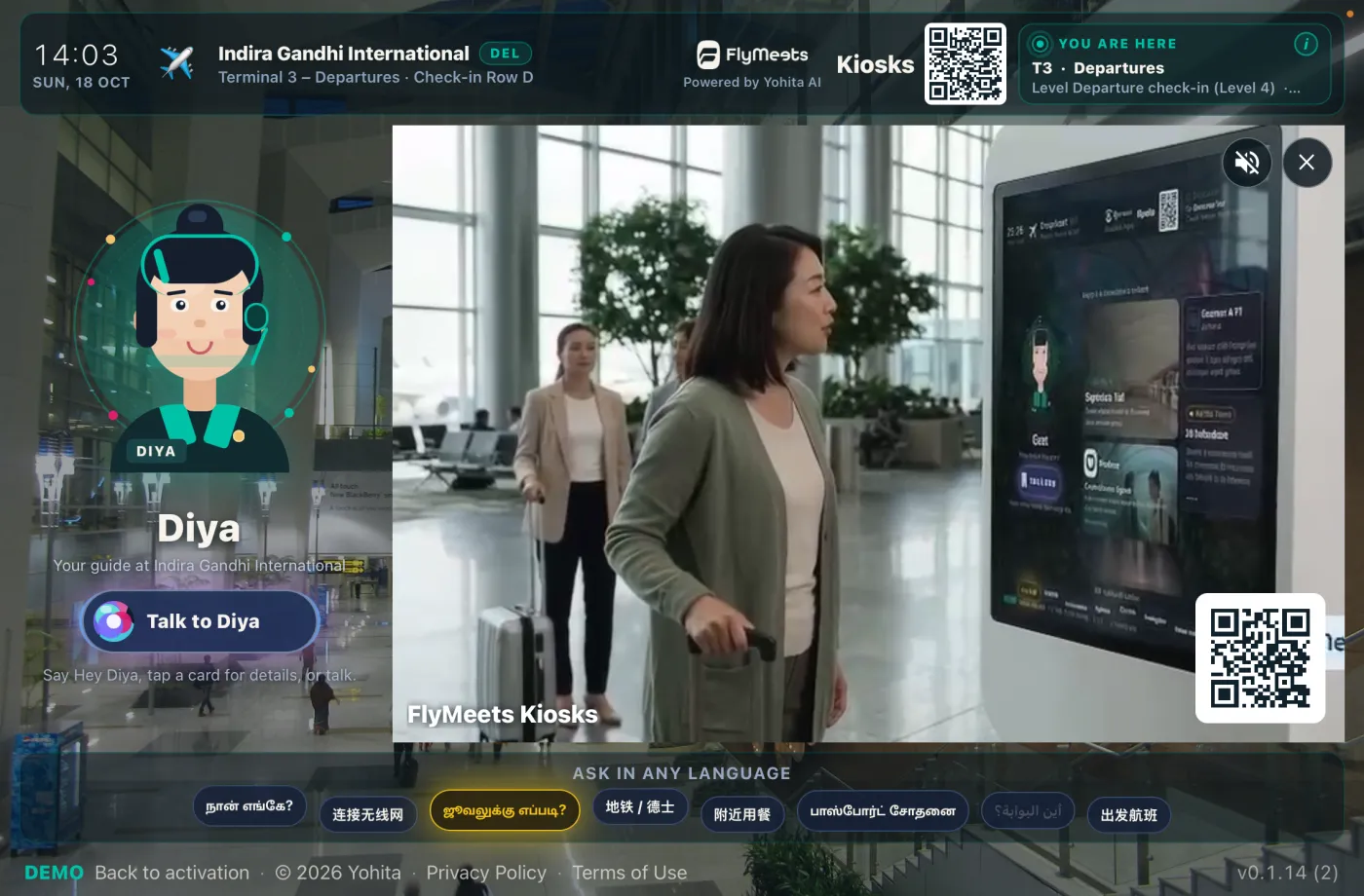
A traditional terminal screen makes every passenger hunt through buttons, usually in one language. That breaks the moment someone does not read the labels, or simply wants to ask where gate 34 is. A voice kiosk removes both problems. The passenger speaks naturally. The answer appears on the screen. There is no menu to learn and no queue for a simple question.
The same facts can live on a touchscreen directory. Voice is the better start when the passenger already has the question and does not know which button holds it. The comparison is on the voice wayfinding page.
What the airport kiosk does
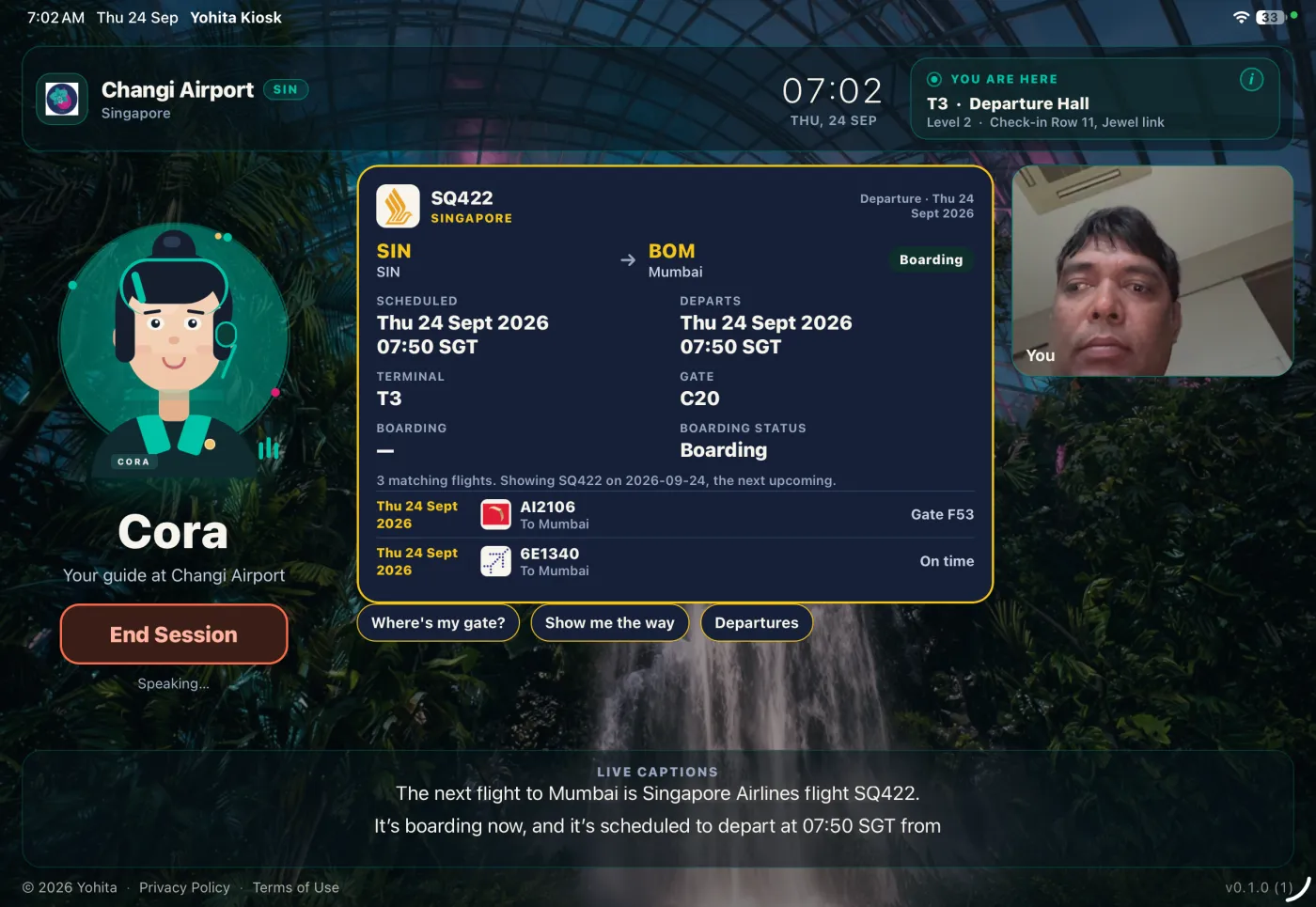
- Flight status. "What time is the flight to Singapore?" The screen shows the live flight.
- The gate. "Which gate?" and "Has the gate changed?" The number stays on the glass so they can look again before they move.
- Wayfinding. "How do I walk there?" An indoor map, from Mapbox or a floor plan you upload, shows the route.
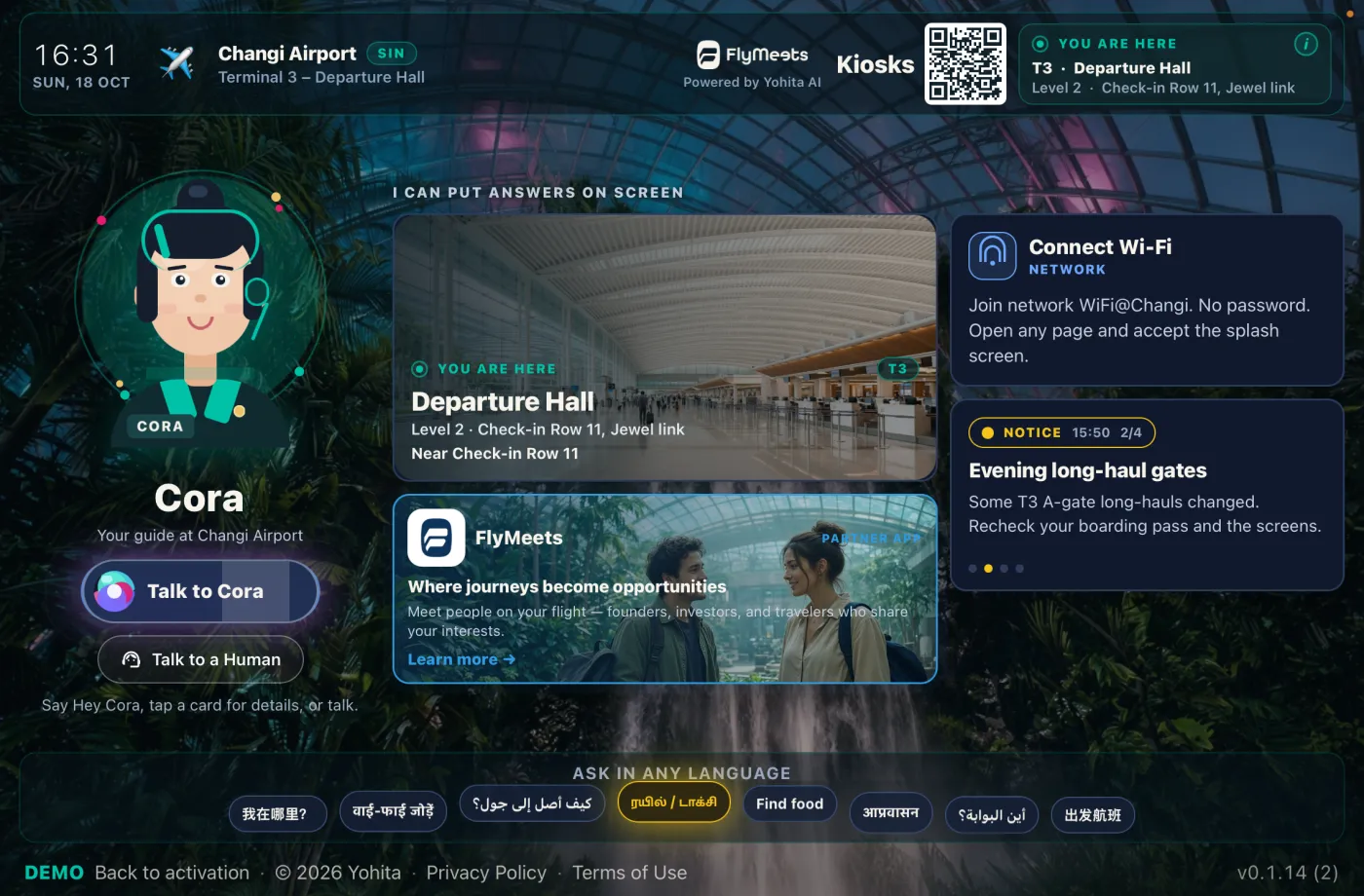
- The rest of the terminal. Baggage claim, toilets, a prayer room, a place to sit, shops, and services.
- Wait times, when that answer is part of your setup.
- A person, when the software should stop. Talk to a Human puts an operator on the same screen.
How a visit works
- They walk up and speak. No language menu. No account. Nothing to download.
- The kiosk takes the question. Flight, gate, baggage claim, or a place in the terminal.
- The screen answers. A live card stays up: the flight, the map, or the directory entry.
- They go. If the situation needs a person, an operator can join that same tablet.
Languages, maps, and the desk behind it
Speech covers 50+ languages. Gate codes and airline names are short, so the screen is how a passenger confirms the gate.
Indoor maps use Mapbox, or a plan your team uploads. Directory answers cover the services around the gate. From the admin console you pair a tablet with a short code, then edit content, floor plans, FAQ, a Wi-Fi QR, notices, idle creatives, and fleet heartbeat. Between questions the idle screen can run a video, a promo, or your own backdrop.
Talk to a Human
Some moments should leave the software. A missed connection. A passenger who cannot follow the map. An emergency.
Talk to a Human is listed at $10 per kiosk per month. Enable it for the sites that want an operator on the glass. When the passenger asks for a person, that operator joins the same screen, and they only see kiosks that belong to their organization.
A loud concourse, and a different machine
A departure hall is a hard place for a microphone. The flight and the map remain readable when people already have to raise their voices. Anyone nearby can hear a question spoken aloud, so a passenger who will not speak still needs the same answer on the screen.
Airline check-in is a different product. SmartKiosk does not check passengers in and does not run departure control. If you are comparing a lobby product that greets people and prints badges, see the Kuyil comparison.
Try it live and plan your rollout
Twenty-three prebuilt airport demos are available today with live flight data and indoor maps. Yohita Technologies showcased SmartKiosk at PTE Asia Expo in Singapore. Install from Google Play or the iOS beta to try the full demo on a device you already have.
For a scoped terminal pilot \u2014 including custom enclosure design, peripheral integration, or fleet pricing \u2014 contact the team. Plans and add-ons are listed separately.
Questions & answers.
An airport information kiosk answers the questions passengers already ask at an information desk. Flight status, the gate, baggage claim, toilets, seating, and the walk between them. They speak in their own language. The tablet shows a live answer they can follow. Bag tags and boarding passes stay on the airline's machine.
No. Check-in kiosks belong to the airline. They print bag tags and boarding passes and sit inside the airline's departure process. SmartKiosk is the information screen beside that. It tells a passenger which flight, which gate, and how to walk there. Buy the airline machine for the trip itself.
Yes. This airport virtual assistant covers 50+ languages, and the visit does not open on a language menu. A connecting passenger can ask in the language they traveled with. Short gate codes are easy to mishear in a hall, so the answer stays on the screen for them to check before they walk.
Turn on Talk to a Human for that terminal. A missed connection, a map that does not make sense, or an emergency can reach a live operator on the same tablet. That operator only sees your organization's kiosks. It is an add-on. A staffed information desk still handles the visits that need someone in the room.
SmartKiosk is deployed across prebuilt airport demos with live flight data and indoor maps, and was showcased at PTE Asia Expo in Singapore. It is actively piloted with airport and terminal facilities. Contact us to discuss your deployment timeline and a scoped pilot.
SmartKiosk is designed for high-traffic public environments. Far-field and USB microphones improve voice pickup in noisy departure halls and concourses. Flight, gate, and wayfinding information remain fully visible on screen throughout every session, so passengers always have a clear, readable answer they can confirm before they move — even when the terminal is too loud to hear clearly.